How To Post Bounty - The Power Of Micro-influencers & Affiliates

 March 18, 2024
We're thrilled to introduce our latest game-changing feature that allows businesses to effortlessly tap into a workforce of talented content creators and marketing affiliates. Post Bounty empowers you to publish paid opportunities for these influencers to promote your brand, driving powerful engagement and conversions.
Here's how the magic happens:
- Activate the Post Bounty option when creating a new job listing. Set lucrative rewards to incentivize top-performing workers and affiliates.
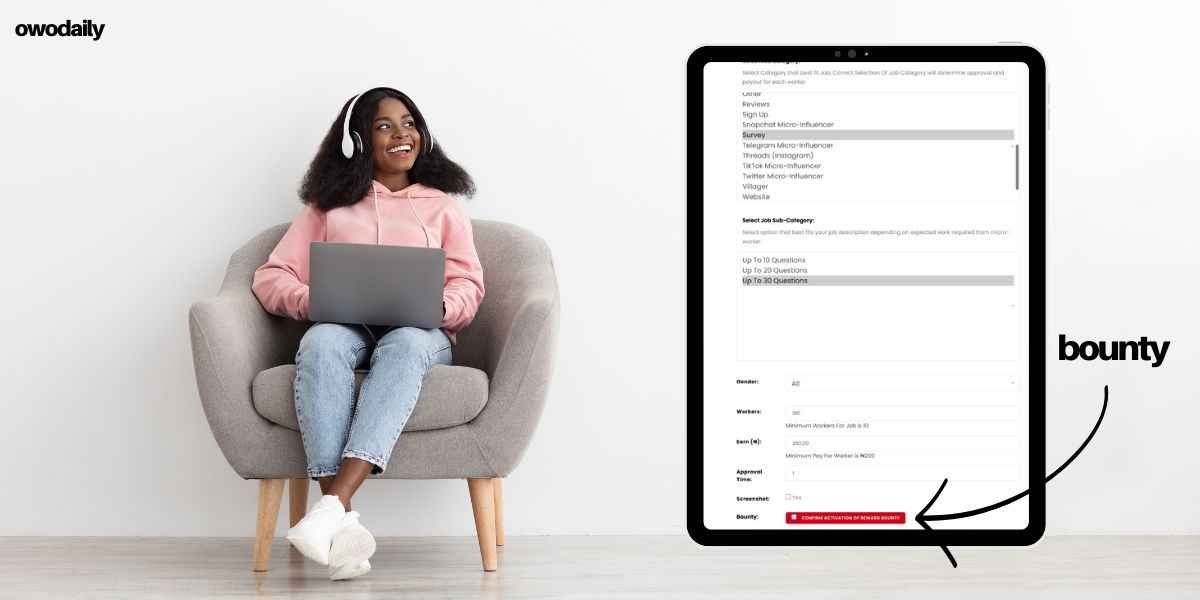
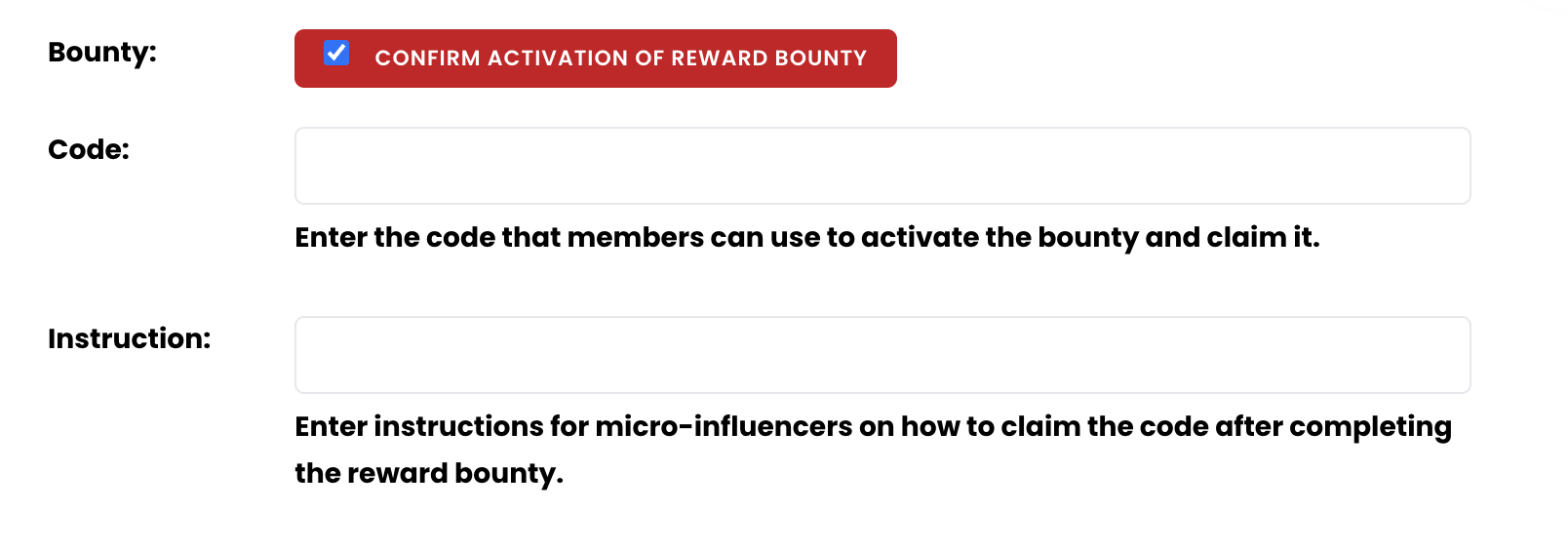
Upon completing your job or promotion, workers/affiliates receive a unique confirmation code to validate their submission - so no more wasted time moderating unfulfilled work! using the code you enter below. This feature will guarantee workers must have completed the job inother to view code for confirmation and submit the required proof
Review high-quality affiliate content and seamlessly approve the bounty payout with two-click confirmations. This secure, streamlined process elevates the affiliate experience while guaranteeing businesses only pay for authentic, successful promotions.

It's a win-win for genuine workers and businesses! If you are Interested in learning more about leveraging Post Bounty for explosive growth? Our support team is standing by to assist you with setting up irresistible bounty campaigns.
For example,
A bounty job was posted for workers to complete voting. After completing the voting, a thank you message is displayed. This message contains a hidden code, which can only be seen by the worker who completed the job. The last word of the thank you message is the bounty code, which is highlighted and covered.

Since the code can only be viewed upon completion, the job poster requires the worker to use the covered word as the code to unlock the job. This technique ensures that the job has been completed correctly. You can use similar methods when posting your bounty to guarantee that the job is done until the end.
The instructions should include how the user can locate the code after finishing the job The code should be displayed at the end of the task, either through a text on the final page or an email that they receive. This code can be used to unlock the job bounty.
This feature is only available to businesses on OwoDaily+




- ●Everything You Need To Know About Earning On Owodaily — Micro-jobs, Content Rewards & Bounty Rewards
- ●How I Made ₦18 Million Posting Jobs On Owodaily In 2023
- ●How To Make Affiliate Marketing Easy For Yourself
- ●How To Set Up And Warm An Ai Slideshow Account That Actually Gets Sales Earns Commission (2026 Super Affiliates Discussion)
- ●How To Use Slideshows To Make Up To ₦12,000,000 Promoting Digital Products As A Nigerian Affiliate (2026 Method)
- ●How This Broke Student Built An A.i Start Up That Earns $25 Million Per Year
- ●Cashback, How It Works & How To Make Money (Double Rewards)
